
Submit Feature Requests from Alamigo
Alation Cloud Service Applies to Alation Cloud Service instances of Alation
From Alation version 2026.8.0.0, you can search, upvote, and submit feature requests to the Alation Ideas Portal directly from the Alamigo chat — without leaving the product. When you describe a capability that Alation doesn’t currently support, Alamigo searches the Ideas Portal for matching requests and lets you upvote an existing one or create a new idea.
Find and Upvote Existing Ideas
Ask Alamigo whether a feature request already exists for the capability you need. Alamigo searches the Ideas Portal and returns matching ideas in a table with the title, reference number, status, vote count, and an Action column.
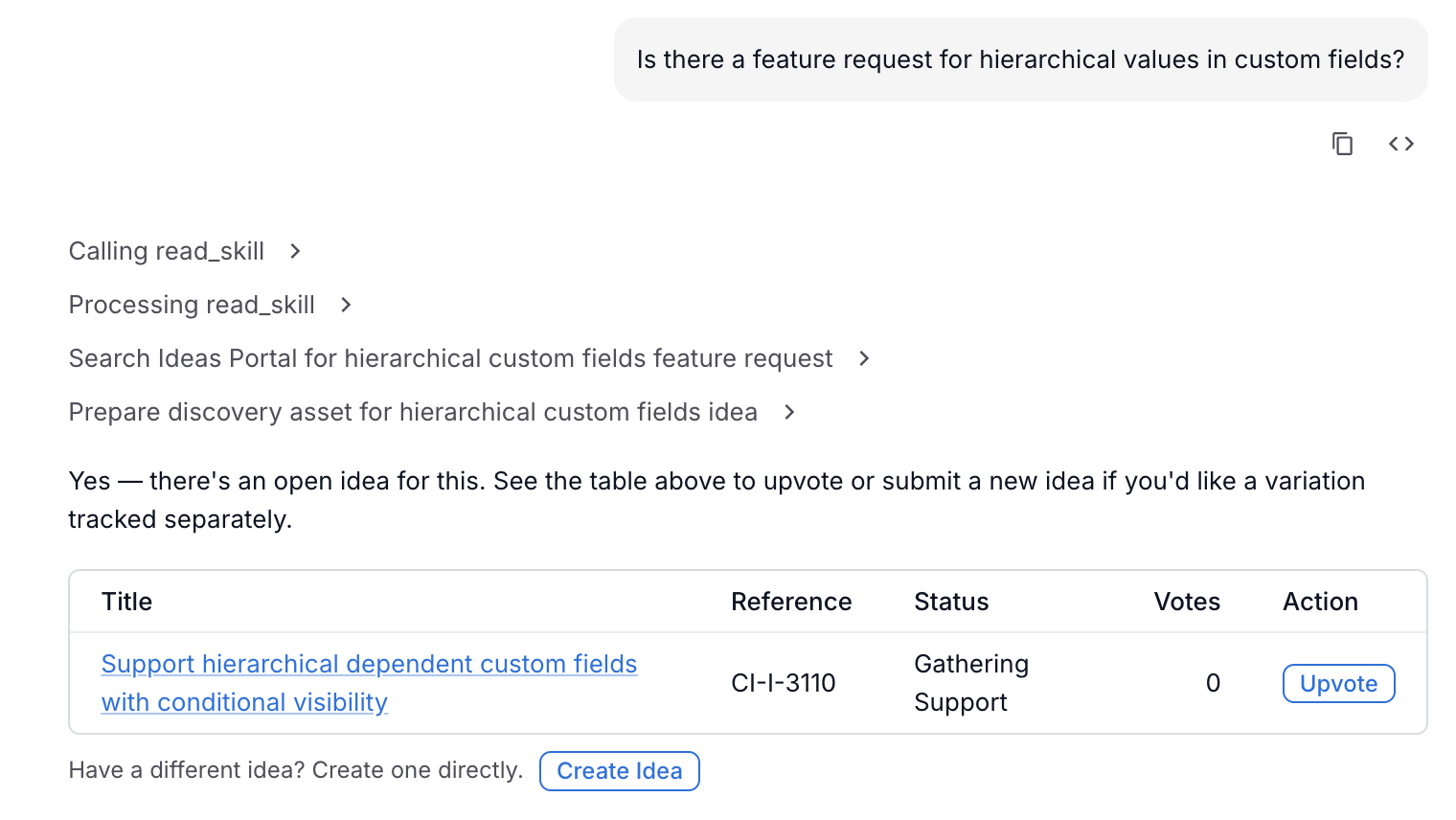
To upvote an idea, click the Upvote button in the Action column. The button changes to “Vote recorded.” to confirm your vote.
If you have already voted on an idea, the Action column displays “Already voted.” instead of the Upvote button.
Create a New Idea
If no existing idea matches your need, you can create one directly from the Alamigo chat.
Below the results table, click Create Idea. A form dialog opens.
Fill in the required fields:
Title — a short summary of the feature request.
Description — a detailed explanation of the capability you need.
Impact — select the type of impact from the dropdown.
Why is it needed? — describe the business need or pain point.
Optionally fill in:
Any workarounds today? — describe any current workaround.
Attach Files — attach up to 3 files (10 MB each) to support your request.
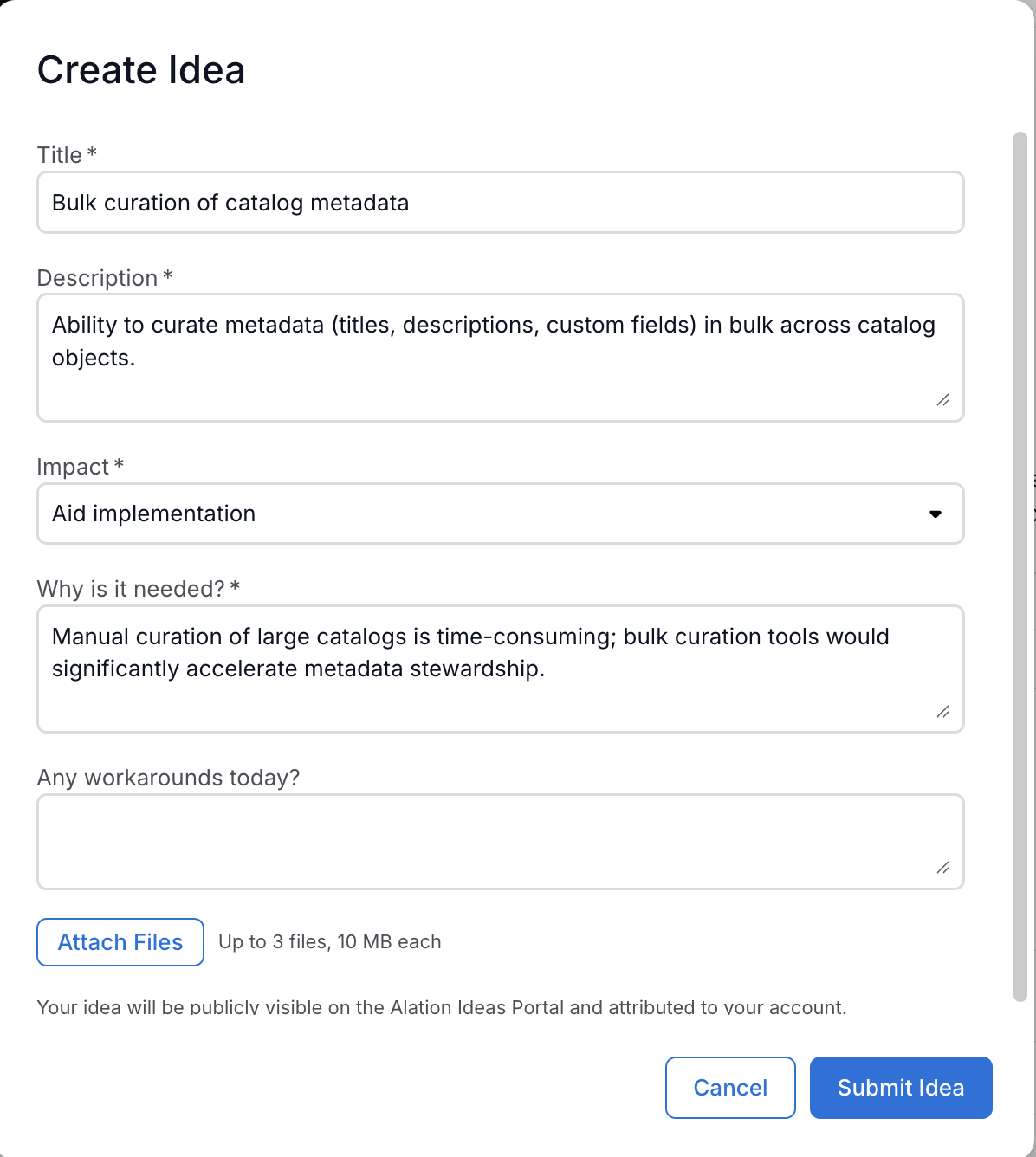
Click Submit Idea. A confirmation appears with your new idea’s reference number as a link to the Ideas Portal.
Click Close to dismiss the dialog and return to the chat.
Note
Your idea will be publicly visible on the Alation Ideas Portal and attributed to your account. Submitting the same title twice within 24 hours is blocked — change the title if you need to submit a genuinely different request.
Access Requirements
You can search for existing ideas regardless of your account type.
Upvoting and creating ideas requires an active Alation Support account linked to your organization. Your Alation role (Server Admin, Viewer, and so on) does not affect this. If Alamigo indicates you don’t have access, contact your Alation account team.